

Most agencies treat virtual tours like a check-the-box favor. A buyer in another state asks "can you FaceTime me through it?" and the agent fumbles with their phone, walks too fast, audio echoes off tile floors, and the whole thing ends with "so… any questions?" Then nothing. No next step. No recording. No follow-up that actually references what the buyer reacted to.
That's where the money leaks. A remote buyer who carves out 30 minutes to tour a property live is a hot lead — hotter than most portal inquiries. But without a repeatable process, these calls turn into a pleasant chat and a dead thread.
This is a tight, operational virtual showing SOP — covering pre-qualification, security checkpoints, live-tour scripts, equipment, how to reuse the recording, and the follow-up cadence that actually converts. No theory. Just the sequence that turns a screen-watcher into a booked appointment.
Why virtual tours die after the call
Three things go wrong, almost always in this order:
-
No pre-qualification. The agent doesn't know if the viewer is pre-approved, what their timeline is, or even if they're the actual decision-maker. The tour ends up generic — no targeting, no urgency.
-
The live tour is unstructured. Agent walks room to room randomly, forgets to show the garage or the backyard the buyer specifically asked about, spends four minutes on a hallway.
-
No capture, no cadence. The call ends. There's no recording to send, no summary, no follow-up that references anything specific. The lead cools by hour two.
The agencies that convert remote viewers aren't the ones with the best cameras. They're the ones running the same sequence every time. Consistency beats production value here, by a lot.
Step 1: Pre-qualify before you ever point a camera
A live virtual tour costs you 25–40 minutes of focused time. You don't spend that on tire-kickers. Pre-qualification happens over a quick call or a short form the day before.
Never miss a showing or follow-up again.
TryRealy helps you schedule, track, and manage every client interaction smoothly.
- Unified property and client management
- Automated client notifications
- Integrated sales pipeline tracking
No credit card required
What you need to confirm:
-
Financing status — pre-approved, cash, or just browsing? Browsers get a recorded walkthrough, not a live tour (more on that below).
-
Timeline — moving in 30 days vs. "sometime next year" changes how you run the call entirely.
-
Decision-makers — is the spouse or partner going to be on the call? If not, you're probably touring twice. Get everyone on the first one.
-
Specific interest — "What made you want to see this home?" The answer tells you exactly which rooms to spend time on.
-
Relocation context — out-of-state buyers often can't visit in person at all, which makes them your highest-intent virtual audience.
When agents skip this step, live tours run longer and convert worse — the agent is just improvising the whole time. Five minutes of prep changes that.
Step 2: Security checkpoints at the property
This gets ignored until something goes wrong. When you're touring live, your screen is broadcasting the inside of someone's home — often while the sellers still live there.
Run this checklist before you start the live feed:
-
Confirm seller has removed or hidden visible valuables, mail, and personal documents
-
Check for family photos, kids' school info, calendars, or anything personally identifying
-
Verify no one unexpected is home
-
Avoid filming visible security system panels and codes
-
Confirm written seller permission to record if you plan to reuse the footage
-
Note any areas the seller asked you not to show
The recording consent piece matters more than most people think. If you're going to reuse walkthrough footage — which you should — you need the seller's written okay in the listing agreement or a quick signed addendum. Skipping it creates a liability problem that's entirely avoidable.
Step 3: The live-tour script
The script isn't word-for-word. It's a sequence so you never freeze, never forget a room, and always close with a concrete next step.
Opening (first 60 seconds)
"Thanks for making time — before we start, I want to make sure we hit everything you care about. You mentioned the kitchen and the home office were priorities, so I'll spend real time there. And feel free to interrupt me anytime and say 'go back' or 'show me that closer.'"
That last line changes the whole dynamic. Remote buyers feel passive by default. Giving them permission to interrupt makes them active, and active buyers convert.
The walkthrough order
-
Exterior and approach — street, driveway, curb — set the context
-
The buyer's #1 priority room — lead with what they actually care about
-
Main living spaces in natural walking order
-
The spaces that sell emotionally — kitchen, primary suite, backyard
-
Practical stuff buyers forget to ask about — storage, garage, utility areas, HVAC age
-
A slow re-walk of the top priority room to close
Narration rules
-
Name what you're showing ("this is the north-facing window, so morning light")
-
Pause in doorways — remote viewers get disoriented fast
-
Hold the phone level and move slowly; quick pans are nauseating on a small screen
-
Volunteer the flaws ("the carpet here needs replacing — worth factoring in") — honesty builds trust you can't manufacture through a screen
The close (last 2 minutes)
Never end with "any questions?" End with a concrete offer: "Based on what you've seen, I'd suggest we get you in for an in-person visit this weekend — or if you're relocating, I can set up a second live tour focused just on the areas you want to re-see. Which works better?" Always close on a choice between two next steps, not a yes/no.
Step 4: The equipment checklist
You don't need a cinema rig. You need reliability. The fastest way to kill a live tour is a frozen feed or echoey audio in an empty house.
| Item | Why it matters | Budget option |
|---|---|---|
| Phone gimbal/stabilizer | Kills the nausea-inducing shake | $80–130 |
| Lapel/wireless mic | Empty rooms echo badly; phone mic sounds terrible | $30–60 |
| Portable LED light | Dark corners and bad fixtures ruin the feel | $40 |
| Backup battery pack | A dead phone mid-tour is a lost deal | $25 |
| Mobile hotspot | Never trust an empty home's "WiFi" | varies |
| Wide-angle clip lens | Small rooms look cramped on a screen | $20–40 |
The audio upgrade is the one people skip and shouldn't. Viewers will forgive slightly shaky video. They will not forgive not being able to understand what you're saying. A $40 mic does more for conversion than a $300 camera upgrade — most teams that actually test this come back surprised.
The audio upgrade is the one people skip and shouldn't.
If your agency is producing a lot of virtual content across multiple listings, it's worth standardizing the kit and the production flow so quality doesn't swing wildly agent to agent. There's a fuller breakdown on running that at scale in this timeboxed production pipeline for video, floorplans and virtual tours.
Step 5: Reuse the recording — don't let it die on your phone
Every live tour should be recorded (with seller consent from Step 2). That footage has at least three more lives:
-
Send it to the buyer within an hour as a personalized recap they can rewatch and share with their partner
-
Trim it into a marketing walkthrough for the listing and social
-
Build a library of recorded walkthroughs for browsers and low-timeline leads who don't warrant a live tour yet
That last one is a quiet efficiency win. Instead of running a live tour for every "just curious" inquiry, you send a polished recorded walkthrough. If they come back with specific questions and an actual timeline, then they earn the live tour. This saves agents a few hours a week and filters the pipeline automatically.
A simple reuse workflow: finish the live tour → save recording to the listing folder → send personalized clip to that buyer same day → flag the raw footage for your creative person to cut a listing version within 48 hours.
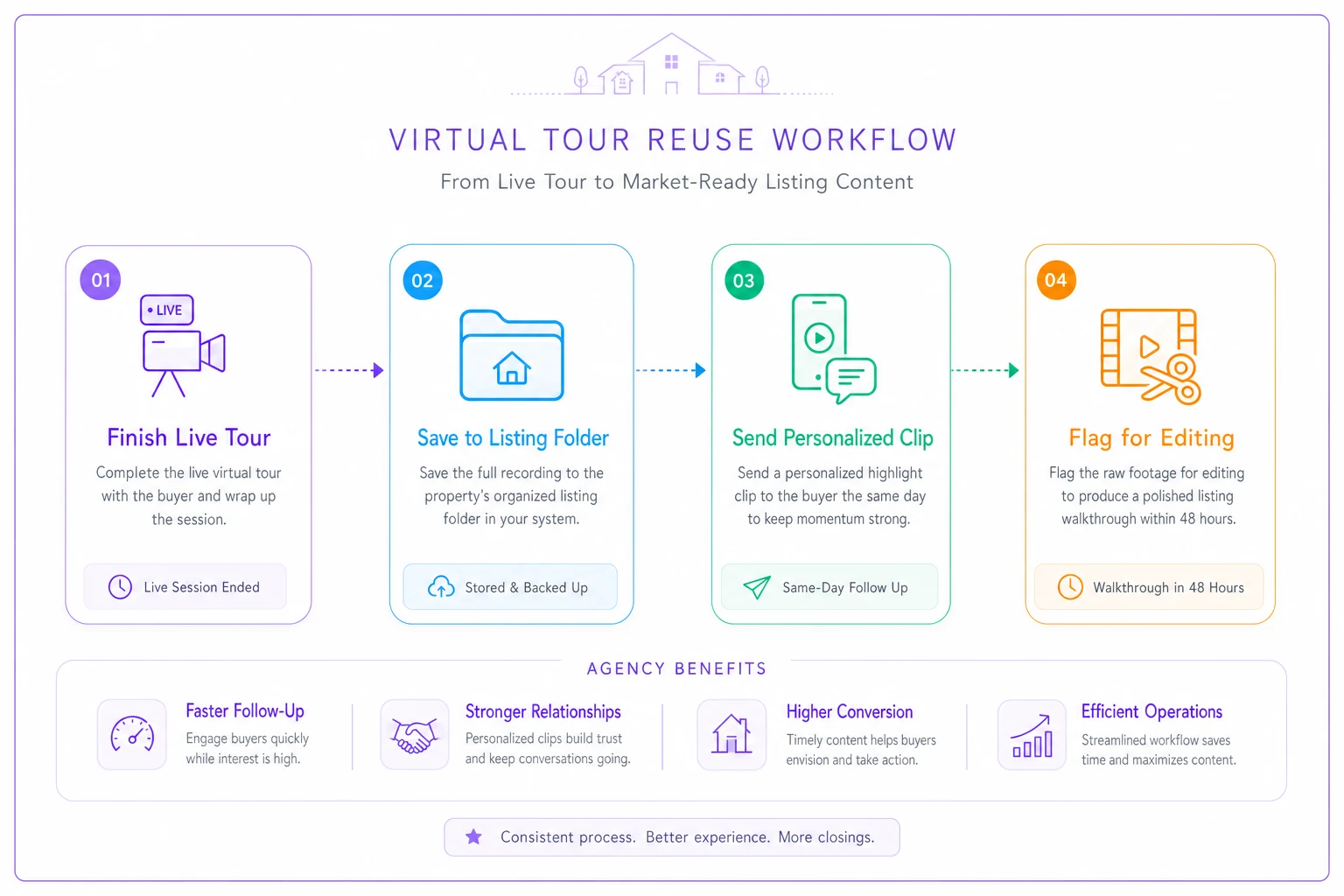
Visual workflow of the reuse sequence.
Step 6: The follow-up cadence that books the appointment
This is where most of the conversion lives, and where most agents stop. The follow-up has to reference what happened on the tour, not a generic "great connecting with you!"
-
Within 1 hour Personalized text + the recording link. "Here's your walkthrough — I marked the timestamp where we looked at the office. Should we lock in Saturday?"
-
Day 1 evening Short email with the two next-step options and any docs they asked about — floorplan, disclosures, whatever came up.
-
Day 2 Value-add touch — comps, a similar listing, or an answer to something they raised on the call. No pressure, just useful.
-
Day 4 Direct ask. "Where'd you land on scheduling the in-person visit?"
-
Day 7 Soft close or recorded tour of a second property if they've gone quiet on the first.
The mistake is sending identical follow-ups regardless of how the tour went. The buyer knows it's a template. Reference a real moment from the call — the backyard they loved, the concern about the commute — and response rates climb noticeably.
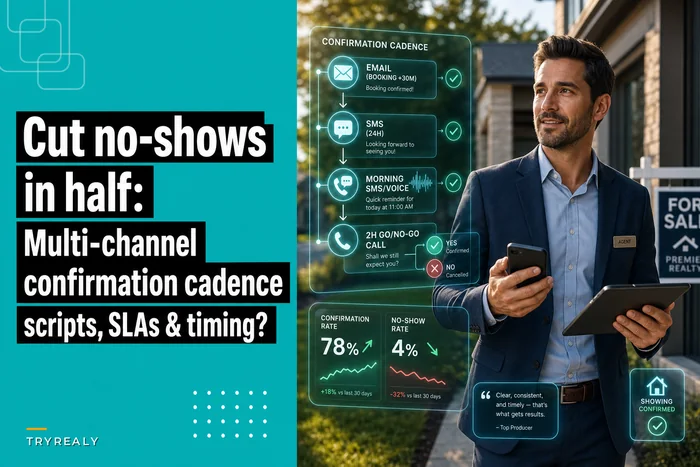
Confirmation discipline matters here too. A remote buyer flying in for a weekend of showings who no-shows one of them is a real problem. The same multi-channel confirmation logic covered in this cadence for cutting showing no-shows in half applies directly.
When a live tour makes sense — and when it doesn't
Not every lead deserves a live tour. Running one for the wrong person burns time you don't have.
Live tour when:
-
Buyer is pre-approved or cash
-
They're relocating and can't visit in person
-
Timeline is 60 days or less
-
All decision-makers can attend the call
-
They've asked specific questions about this property
Recorded walkthrough instead when:
-
Browsing with no financing conversation yet
-
Timeline is vague or far out
-
They asked for "info" but haven't given you anything specific
-
You're triaging a high volume of inquiries
Skip both when: the lead won't answer basic pre-qualification questions. If someone won't share their timeline or financing situation, they're not ready for your live time. Send the recorded version and let them self-select back in.
A real scenario
A three-agent team working a relocation-heavy market was getting solid out-of-state inquiry volume but converting almost none of it into in-person visits. Their "virtual tours" were improvised phone calls — no recording, no structure, a vague "let me know!" afterward.
They standardized the sequence: a one-page pre-qual checklist, a fixed walkthrough order, a $45 mic, and a five-touch follow-up that referenced what actually happened on the call. Over roughly two months, their conversion rate from virtual tour to booked in-person visit went from around one in ten to somewhere closer to one in three or four. The recording reuse was the surprise bonus — they stopped burning live-tour time on unqualified browsers, which freed up roughly an afternoon a week per agent.
Nothing high-tech. Just running the same play every time instead of winging it.
The part nobody wants to hear
A virtual showing SOP only works if it's actually followed. The agencies that convert remote viewers aren't more talented — they're more consistent. Same pre-qual questions. Same security check. Same walkthrough order. Same follow-up that references the real conversation.
The failure is almost never the camera or the buyer's interest level. It's the process ending the second the call does. Fix the sequence — pre-qualify, secure the property, run the script, reuse the footage, follow up like you were paying attention — and the remote leads you've been letting go cold start turning into appointments on your calendar.
The failure is almost never the camera or the buyer's interest level. It's the process ending the second the call does. Fix the sequence — pre-qualify, secure the property, run the script, reuse the footage, follow up like you were paying attention — and the remote leads you've been letting go cold start turning into appointments on your calendar.
Ready to elevate your real estate business?
Join 2,000+ agencies using TryRealy to streamline operations, close deals faster, and deliver exceptional client experiences.